


Installing the OpenAI Library on Python
I am attempting to install OpenAI on Python. Here is how it went.....
First Step - Open Visual Studio Code
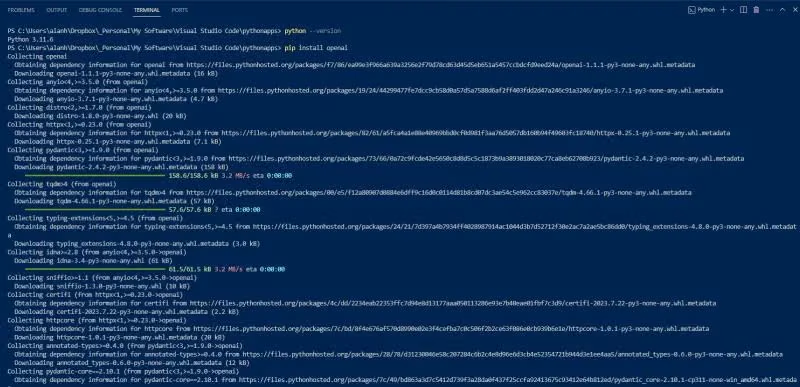
Then I opened the my 'pythonapps' folder. It happens to be in this location: C:\Users\alanh\Dropbox\_Personal\My Software\Visual Studio Code\pythonappsI verify things are working by typing:
python --version
Now I install openai by typing
pip install openai
Check to See if it Installed Correctly
type:python
type
import openai
If you don't get an error, it installed correctly.
Type ctrl-Z to exit python.

This Installed Correctly

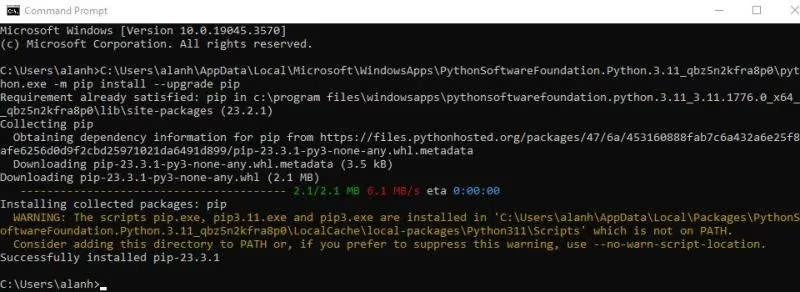
Upgraded the Software in CMD Command Prompt
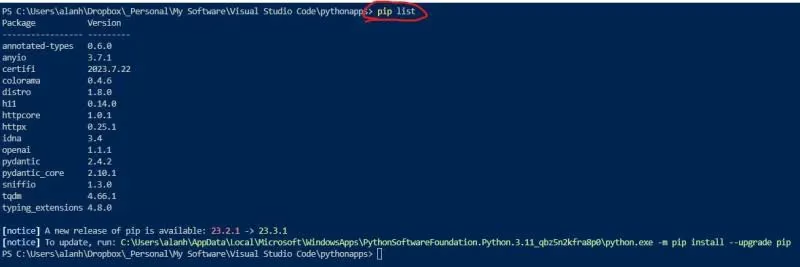
Pip List Shows Python Libraries Installed in Your Current Environment
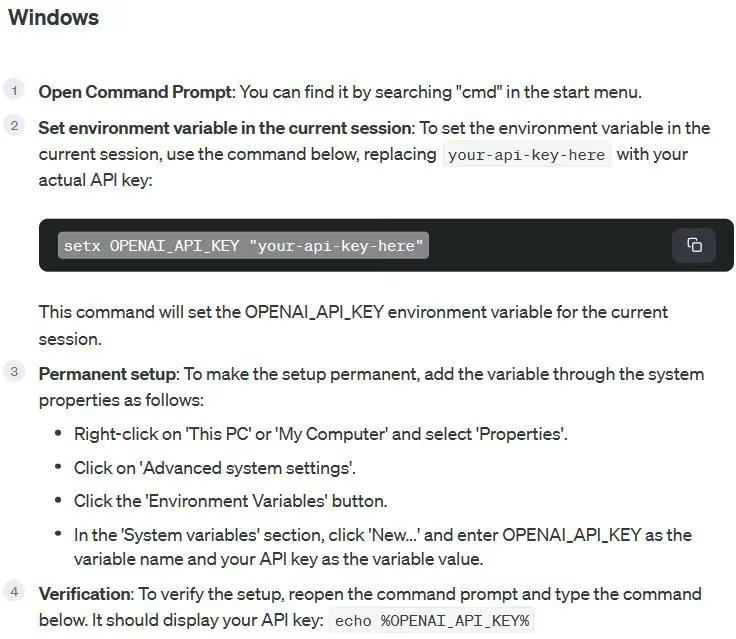
Setup OpenAI API Key

To Permanently Set The API Key
Running openai-test.py Produced An Error
It looks like I GOT NO CREDIT......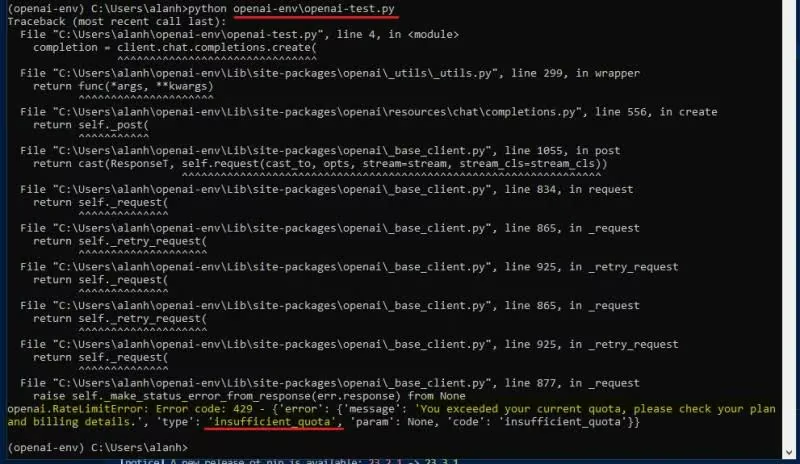
So I Loaded Up Some Money by 'Add to credit balance'
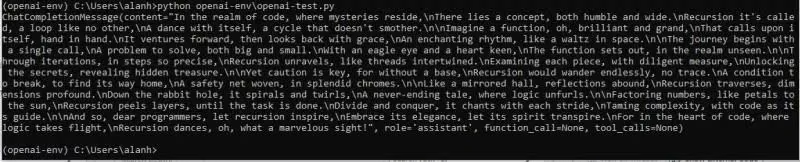
Now I have 5 bucks to spend. Now let's see what it says.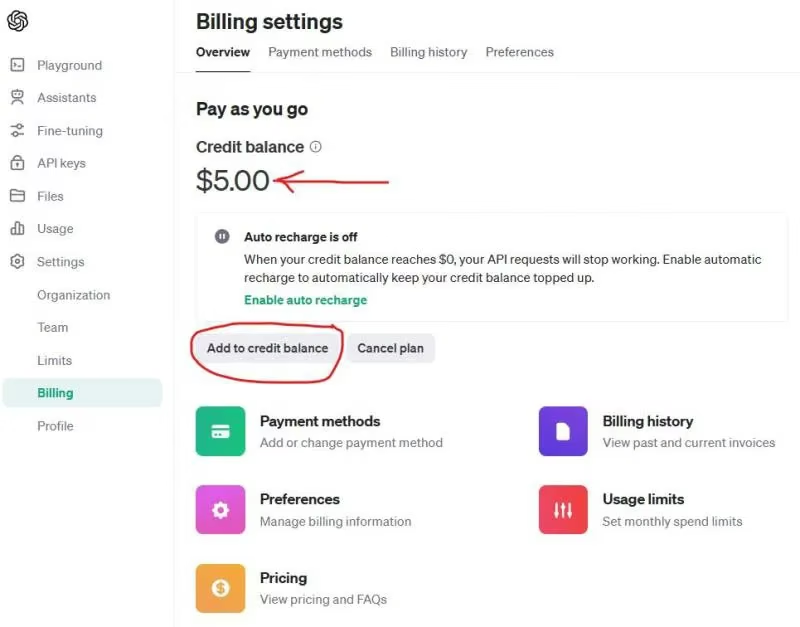
Success!
After what felt like an eternity (probably like 20 seconds), this showed up:My first interaction with ChatGPT with Code.